Disco noise
Turn a noise field into a colorful, moving grid.
Continues Bezier curves.
In the first part, Perling noise, we built a 2D noise map, sampled it once in setup(), and then redrew that frozen grid forever. It looked good, but it never moved.
let noiseMap = []
let cols, rows, size = 50;
let xoff = 0, yoff= 0, inc = 0.1;

function setup(){
  createCanvas(300,300)
  rectMode(CENTER)
  cols = width/size
  rows = height/size

  for (let i=0; i<cols; i++){
   noiseMap[i] = []
    yoff = 0
    for (let j=0; j<rows ; j++){
     noiseMap[i][j] = noise(xoff,yoff)
     yoff += inc
    }
    xoff += inc
  }
}

function draw(){
  background(220)
  fill(20, 50, 40)
  for (let i=0; i<cols; i++)
    for (let j=0; j<rows ; j++){
     let v = noiseMap[i][j]
     rect((.5 +i) *size, (.5 + j)*size, v*size, v*size)
  }
}
Here is the trick: noise() takes a third argument, and it is smooth in every axis, not just the first two. Nudge z a little each frame and you don't get a new map, you get the same map, gently deformed. That is the whole idea.
First, though, let's shrink the squares.
- let cols, rows, size = 50;
+ let cols, rows, size = 10;
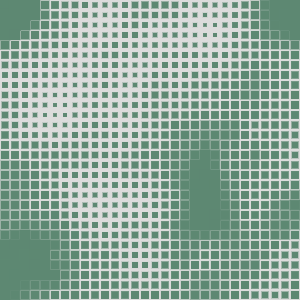
At this resolution the pattern is much easier to read. Next, make it move. Step one is to build noiseMap in draw() instead of setup(), so it is recomputed every frame.
- for (let i=0; i<cols; i++){
-   noiseMap[i] = []
-    yoff = 0
-    for (let j=0; j<rows ; j++){
-     noiseMap[i][j] = noise(xoff,yoff)
-     yoff += inc
-    }
-    xoff += inc
-  }
...
function draw(){
+   for (let i=0; i<cols; i++){
+     noiseMap[i] = []
+     yoff = 0
+     for (let j=0; j<rows ; j++){
+       noiseMap[i][j] = noise(xoff,yoff)
+       yoff += inc
+      }
+      xoff += inc
+   }
Now we can shift the starting offsets, xoff and yoff, a little on every frame.
let xoff = 0, yoff= 0, inc = 0.1;
+ let xstart= 0, ystart= 0
...
function draw(){
+   xstart +=0.01
+   ystart +=0.01
  ...
+
+ xoff = xstart
for (let i=0; i<cols; i++){
  ...
- yoff = 0
+ yoff = ystart
That makes the continuity of the field visible: the grid slides diagonally, because we are panning a window across a fixed map. But panning is not the only option. If we want the pattern to breathe instead, space opening up and closing again in place, we travel along the third axis. Perlin noise is smooth in z exactly as it is in x and y, so a small step per frame gives every cell a small, coherent change.
So let's add zoff and advance only that over time.
- let xoff = 0, yoff= 0, inc = 0.1;
+ let xoff = 0, yoff= 0, zoff= 0, inc = 0.1;
...
function draw(){
+   xoff = 0
...
- noiseMap[i][j] = noise(xoff,yoff)
+ noiseMap[i][j] = noise(xoff,yoff, zoff)
...
+ zoff += 0.01
  background(220)
To make the motion read as a fluid rather than a grid, close the gaps between the squares by oversizing them.
+ noStroke()
- let v = noiseMap[i][j]
+ let v = noiseMap[i][j] * 1.7
Last touch: let the colour drift over time too.
+ let r = noise(zoff) * 255
+ let g = noise(zoff+15) * 255
+ let b = noise(zoff+30) * 255
+
- fill(20, 50, 40)
+ fill(r, g, b)
xoff += inc
+    zoff += 0.0005
}
-  zoff += 0.01
Two things in there deserve a second look.
First, the colour. It comes from noise(zoff), noise(zoff + 15) and noise(zoff + 30), one function, three offsets far enough apart that they don't correlate. Because they all advance together, the palette drifts through smooth, plausible combinations instead of strobing. Same reason the bézier handles held their shape in the previous part.
Second, and this one was half an accident, zoff is incremented inside the column loop, not once per frame, and it is never reset. So it pulls double duty: a faint colour gradient sliding left to right across the canvas, and a slow continuous drift over time. That is also why the step is so tiny. 0.0005 looks absurdly small until you remember it fires once per column, every frame. Bump it up and the whole thing collapses back into static.
Which brings us back to where we started, again: the step size is the only knob that matters. inc decides how zoomed in the map is. The zoff increment decides how fast it breathes.
Comments & reactions
Sign in with GitHub to join the conversation.
Comments load as you reach this section.