shapes
Turn distance functions into glowing rings and hearts.
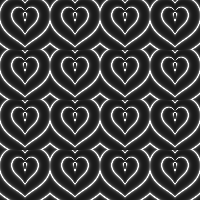
Continues glsl functions.
Here's where we left off:
async function setup(){
  createCanvas(200,200, WEBGL)
  pixelDensity(1)
  myShader = await loadShader("shader.vert", "shader.frag")
}

function draw(){
  shader(myShader)
  myShader.setUniform('uResolution',[width,height])
  myShader.setUniform('uTime', millis() / 1000.0)
  rect(-width/2, -height/2, width,height)
}
And the same two GLSL files:
#version 300 es
precision mediump float;

in vec3 aPosition;
out vec2 vPos;

void main(){
  vec4 position = vec4(aPosition, 1.0);
  position.xy = position.xy * 2.0 - 1.0;
  vPos = position.xy;
  gl_Position = position;
}
#version 300 es
precision mediump float;

out vec4 fragColor;
uniform vec2 uResolution;
uniform float uTime;

void main(){
  vec2 uv=(gl_FragCoord.xy * 2.0 - uResolution.xy) / uResolution.y;
  float x = uv.x;
  fragColor = vec4(x, x, x, 1.0);
}
A plain ramp becomes a wave the moment we push it through sin():
- float x = uv.x;
+ float x = sin(uv.x);
Multiplying the input squeezes more of the wave into the same space:
- float x = uv.x;
+ float x = sin(uv.x * 2.0 );
step(threshold, x)
step() returns 0.0 below the threshold and 1.0 above it, no in-between. It's how you turn a gradient into a hard edge.
- float x = uv.x;
+ float x = step(0.0, sin(uv.x));
smoothstep(threshold, x)
smoothstep() does the same thing, but ramps smoothly between the two thresholds instead of snapping, the cheapest anti-aliasing there is.
- float x = uv.x;
+ float x = smoothstep(-0.3, 0.3, sin(uv.x));
abs(x)
abs() folds the negative half of the wave back up, so the black troughs become bright bands.
- float x = uv.x;
+ float x = abs( sin(uv.x * 3.14) );
Double the frequency, double the bands:
- float x = uv.x;
+ float x = abs( sin(uv.x * 3.14 * 2.0) );
Now let's move to 2D. Instead of feeding sin() a single axis, we feed it the distance from the centre of each cell, the same length() and fract() from the previous part:
#version 300 es
precision mediump float;

out vec4 fragColor;
uniform vec2 uResolution;
uniform float uTime;

void main(){
  vec2 uv=(gl_FragCoord.xy * 2.0 - uResolution.xy) / uResolution.y; // -1 to 1

  uv = fract( uv * 2.0 ); // -1 to 1 then -1 to
  uv -=0.5; // -1.5 to .5 ... x2

  float d = length(uv);
  d = sin( d * 3.14 * 4.0);
  d = abs(d);

  fragColor = vec4(d, d, d, 1.0);
}
Glowing lights
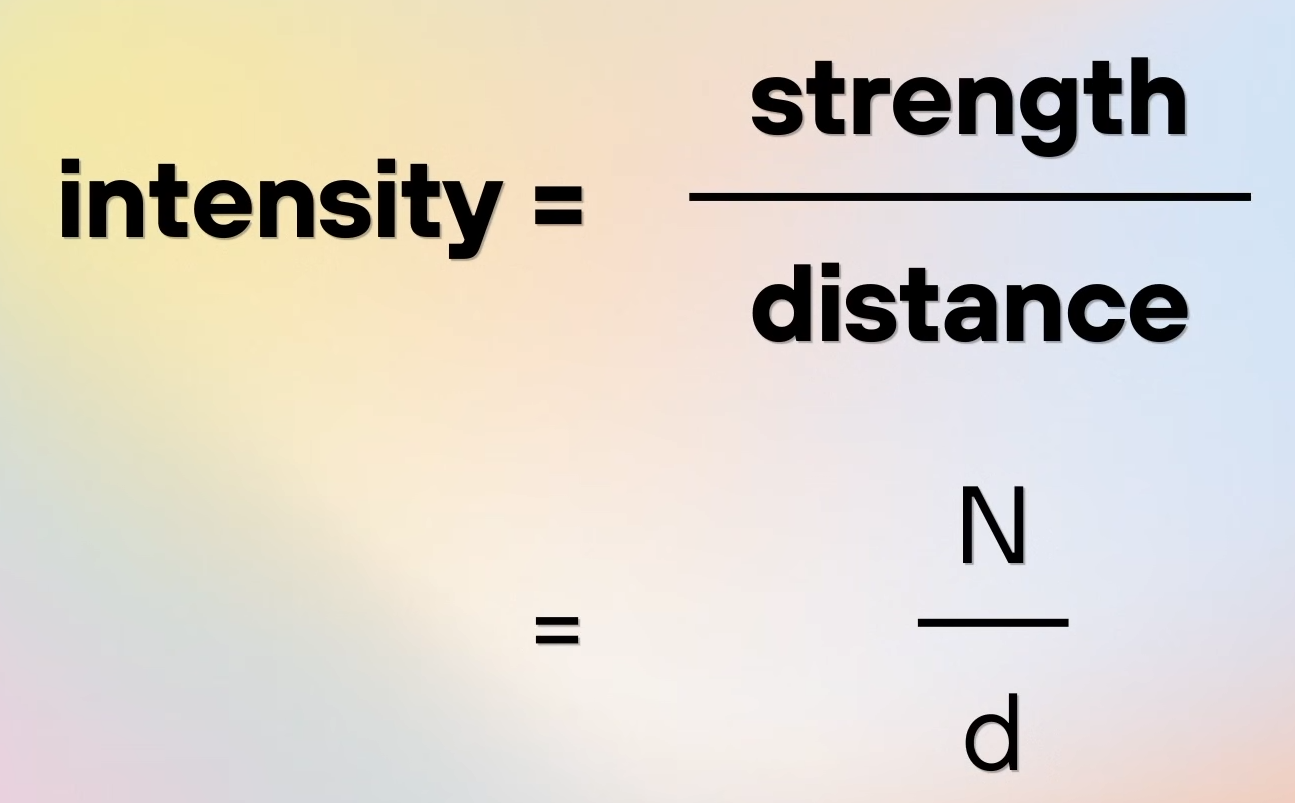
Concentric rings are one division away from looking like light. Instead of drawing d directly, we draw 1 / d, small distances become huge values, and everything far away fades toward black.
#version 300 es
precision mediump float;

out vec4 fragColor;
uniform vec2 uResolution;
uniform float uTime;

void main(){
  vec2 uv=(gl_FragCoord.xy * 2.0 - uResolution.xy) / uResolution.y; // -1 to 1

  uv = fract( uv * 2.0 ); // -1 to 1 then -1 to
  uv -=0.5; // -1.5 to .5 ... x2

  float d = length(uv);
  d = sin( d * 3.14 * 4.0);
  d = abs(d); // 0..1..0 x8
  d = 0.1 / d;

  fragColor = vec4(d, d, d, 1.0);
}
The numerator controls how far the glow reaches. Raise it:
- d = 0.1 / d;
+ d = 0.5 / d;
Much brighter, much softer. Lower it instead:
- d = 0.1 / d;
+ d = 0.05 / d;
And we get thin, tight filaments.
The nice part is that this is roughly how light actually behaves, intensity falls off with distance:
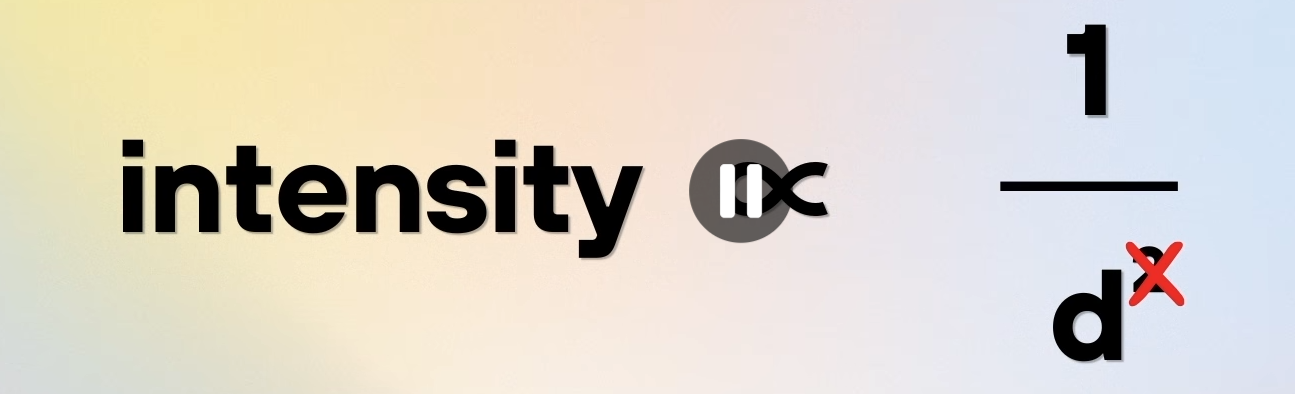
We drop the ^2 because it looks good enough and saves the GPU some work.
Animation, back again
Next we bring the movement back by offsetting the wave with time:
- d = sin( d * 3.14 * 4.0);
+ d = sin( d * 3.14 * 4.0 + uTime);
Subtracting instead of adding:
- d = sin( d * 3.14 * 4.0 + uTime);
+ d = sin( d * 3.14 * 4.0 - uTime);
…runs the rings the other way.
And to change the shape, the only line we need to touch is float d = length(uv):
- float d = length(uv);
+ float d = length(uv * vec2(1.0, 1.5));
Scaling the input squashes the circle into an ellipse, but what I really want is a function that returns the distance to a heart:
uniform float uTime;

+ float heart(vec2 p){
+  p.y -= 0.25;
+  float a = atan(p.x, p.y) / 3.14159;
+  float r = length(p);
+  float h = abs(a);
+  float d = (13.0 * h - 22.0 * h * h + 10.0 * h * h * h) / (6.0 - 5.0 * h);
+  return r - d * 0.5;
+ }
Swap it in, and every ring follows the new shape:
- float d = length(uv);
+ float d = heart(uv);
Where do you find more distance functions like this one? Inigo Quilez has a whole catalogue: 2D distance and gradient functions.
Take the Vesica, for example:
It returns a vec3, distance in .x, gradient in .yz, so we take .x and we're done:
- float d = length(uv);
+ float d = Vesica(uv, 0.5, .45).x;
Comments & reactions
Sign in with GitHub to join the conversation.
Comments load as you reach this section.