colors again
Bring shaders to life with gradients and shifting color palettes.
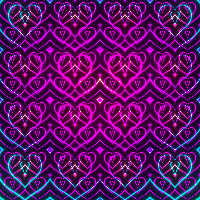
Continues shapes.
In this episode we finally give our shape some color.
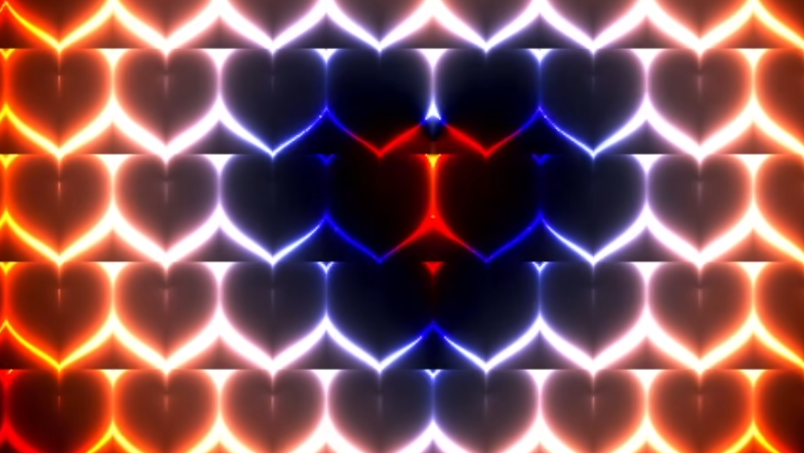
And color is a good excuse to meet a new function.
mix(colorA, colorB, amt)
mix() is linear interpolation between two values, the same operation you'll see called lerp elsewhere.
Think of it as walking from colorA to colorB, with amt saying how far along you are: 0.0 is the start, so you get colorA; 1.0 is the end, so you get colorB; 0.5 lands exactly halfway.
First, two colors to travel between:
uniform float uTime;

+ vec3 colorA = vec3(1.0, 0 , 0); //red
+ vec3 colorB = vec3(0, 0, 1.0); //blue
+
Then we mix them and use the result instead of the grey d:
  void main(){
  vec2 uv=(gl_FragCoord.xy * 2.0 - uResolution.xy) / uResolution.y; // -1 to 1

+  float amt = 0.5;
+  vec3 color = mix(colorA, colorB, amt);
+
float d = heart(uv);
  d = sin( d * 3.14 * 4.0);
  d = abs(d);
  d = 0.2/d;

- fragColor = vec4(d, d, d, 1.0);
+ fragColor = vec4(color, 1.0);
A single flat purple, halfway between red and blue. Feeding amt a coordinate instead of a constant turns it into a gradient:
- float amt = 0.5;
+ float amt = uv.x;
uv.x runs from -1 to 1, and mix() wants 0 to 1, so the whole left half clamps. Remap it:
- float amt = uv.x;
+ float amt = (uv.x + 1.0) / 2.0;
We can't hand gl_FragCoord.xy to mix() directly, because it's measured in pixels, 0 to 400 on a wide canvas, and everything past 1.0 clamps to the end color.
To steer each channel on its own, make amt a vec3:
- float amt = (uv.x + 1.0) / 2.0;
+ vec3 amt = vec3((uv.x + 1.0) / 2.0);
Now that it's a vector we can pin one channel and leave the others fading:
vec3 amt = vec3((uv.x + 1.0) / 2.0);
+ amt.r = 0.5;
And we can reach for step() from the last article:
vec3 amt = vec3((uv.x + 1.0) / 2.0);
+ amt.r = step(0.2, amt.r);
The red channel now jumps rather than ramps: left of the threshold it takes all of colorA's red, right of it none. Green and blue keep gradient, so we get a hard vertical cut running through a smooth fade.
amt doesn't have to be a coordinate. Any distance function works, starting with length:
- vec3 amt = vec3((uv.x + 1.0) / 2.0);
+ float amt = length(uv);
Or the heart:
- vec3 amt = vec3((uv.x + 1.0) / 2.0);
+ float amt = heart(uv);
The distance is signed: negative inside the shape, zero on the edge, positive outside. So step(0.0, …) shows us exactly where that sign flips:
- vec3 amt = vec3((uv.x + 1.0) / 2.0);
+ float amt = step(0.0, heart(uv));
The silhouette comes out smaller than the glow suggested, the rings extend well past the edge itself.
Or we can fade between two limits:
- vec3 amt = vec3((uv.x + 1.0) / 2.0);
+ float amt = smoothstep(0.0, 0.5, heart(uv));
Now let's bring back the grid of hearts from the previous article.
float d = heart(uv);        // signed distance to the heart: negative inside, 0 on the edge
d = sin( d * 3.14 * 4.0);   // bend that distance into a wave, a zero crossing every 0.25 units
d = abs(d);                 // fold the troughs up, so every crossing becomes a dark ring
0.2 / d then turns those dark rings into bright filaments, small distances explode, large ones fade to black.
float d = heart(uv);
  d = sin( d * 3.14 * 4.0);
  d = abs(d);
  d = 0.2/d;

- fragColor = vec4(color, 1.0);
+ fragColor = vec4(vec3(d), 1.0);
d is the brightness and color is the hue, so multiplying them gives us colored light:
- fragColor = vec4(color, 1.0);
+ fragColor = vec4(color * d, 1.0);
color formula
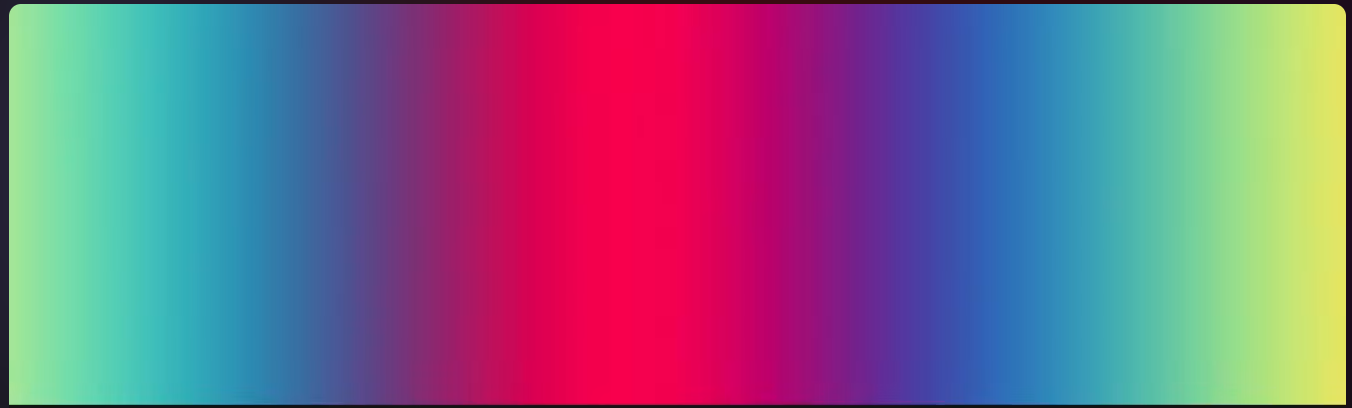
So far every gradient has been a straight line from colorA to colorB.
There's a richer formula: color(t) = a + b * cos(2 * 3.14 * (c * t + d)). Because each channel gets its own cosine, we sweep through a whole spectrum instead of two endpoints.
a = vec3() is the Brightness of each chanle
b = vec3() is the Contrast
c = vec3() is Frequency of the change over time
d = vec3() is the Phase
So we drop mix and write a palette function instead:
+ vec3 palette(float t) {
+   vec3 a = vec3(0.3, 0.3, 0.4);
+   vec3 b = vec3(0.4, 0.4, 0.1);
+   vec3 c = vec3(0.4, .4, 1.0);
+   vec3 d = vec3(0.00, 0.33, 0.67);
+   return a + b * cos(6.28318 * (c * t + d));
+ }
+
void main(){
- vec3 amt = vec3((uv.x + 1.0) / 2.0);
- vec3 color = mix(colorA, colorB, amt);
+  vec3 color = palette(length(uv));
Much richer already.
Now let's feed it the heart distance instead, and drop the grid modifier for a moment so the shape stays readable.
- vec3 amt = vec3((uv.x + 1.0) / 2.0);
- vec3 color = mix(colorA, colorB, amt);
+  vec3 color = palette(heart(uv));
...
- fragColor = vec4(color * d, 1.0);
+ fragColor = vec4(color, 1.0);
Then add time, so the palette scrolls through the shape:
- vec3 color = palette(heart(uv));
+ vec3 color = palette(heart(uv) + uTime * .3);
And bring the grid back:
- fragColor = vec4(color, 1.0);
+ fragColor = vec4(color * d, 1.0);
fractal
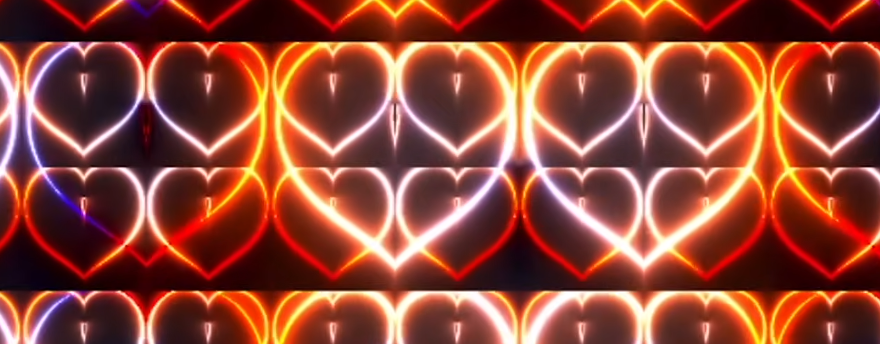
On the CPU you'd build something like this with recursion. The GPU has no recursion, so we do the next best thing: run the same remap in a for loop.
void main(){
  vec2 uv=(gl_FragCoord.xy * 2.0 - uResolution.xy) / uResolution.y; // -1 to 1

+   for (float i=0.0; i < 2.0; i++){
        ...
        fragColor = vec4(color * d, 1.0);
+   }
}
Why does this change anything? Because uv is modified in place: uv = fract(uv * 2.0) - 0.5 runs again on the result of the previous pass, so each iteration subdivides the grid the last one produced. That's the recursion, unrolled. But fragColor is assigned every pass, so only the last layer survives, the earlier ones are overwritten.
The fix is to accumulate instead of assign:
+ vec3 finalColor = vec3(0.0, 0.0, 0.0);
void main(){
  vec2 uv=(gl_FragCoord.xy * 2.0 - uResolution.xy) / uResolution.y; // -1 to 1
    ...

-   fragColor = vec4(color * d, 1.0);
+    finalColor += color * d;
   }
+     fragColor = vec4(finalColor, 1.0);
}
Now every layer adds its light on top of the one before it, and since light adds, the overlaps get brighter on their own.
Comments & reactions
Sign in with GitHub to join the conversation.
Comments load as you reach this section.